
Overview
About this game
This is a game that simulates delivery. The player is a rider, and the job is to deliver the delivery from the merchant to the customer.
Players want to make more money in the shortest time, they need to plan the route, take the delivery from the merchant to the customer, the player can take multiple orders together, but be careful not to timeout, overtime orders will be deducted by half Shipping fee. At the same time, the number of orders will increase as the player's level increases.
This game can pick orders, you can choose to pick the way, so that you can make more money in a short time, but the orders you grab must be sent out.
Each order will have a different unit price. Players can take orders based on the cost performance of each order. The shorter the distance, the higher the unit price and the higher the price.
After delivering the takeaway to the customer, it is delivered at the click of a point, and there is another amount of money in the account, which is also a very happy thing.
How to play:
After entering the game, wait a few seconds, there will be a lot of takeaway orders on the right hand side, the grabbed orders will be placed in the "waiting for pickup", click into the inside is the order that the player grabs, and then go to the merchant according to the information on the order Take the meal, the place to take the meal is in front of the merchant's cash register, when you get there, you need to press "to the store", and then wait a few seconds, after successfully getting the meal, click "I have taken the meal", and then the order for the meal will be Go to "delivery", then take the delivery to the customer's door, wait for the customer to open the door to pick up the meal, after the customer gets the meal, press "order delivery", the delivery is completed, and the account has an extra amount of money.
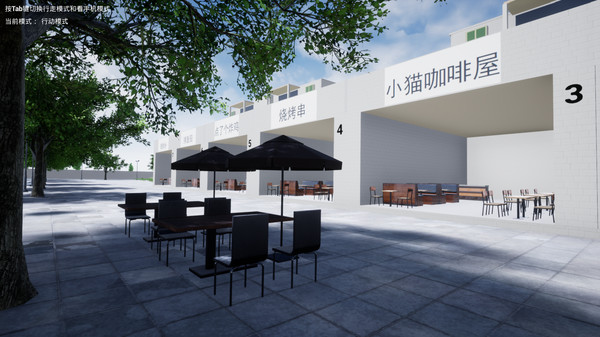
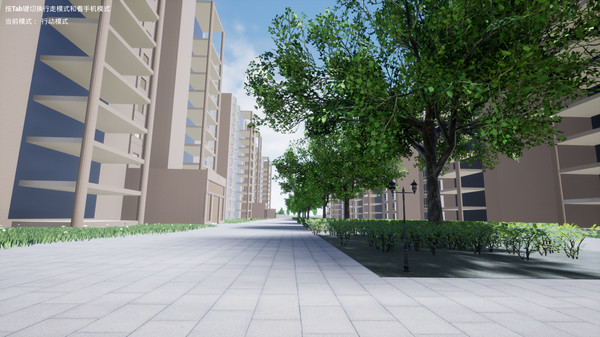
Press the Tab key to switch between walking mode and mobile phone mode, pay attention to safety, do not look at the mobile phone when walking.
Tip: The more you know about delivery, the faster your meal delivery. Press the M key to view the map, and you can also see where you are on the map. The map is only an aid, and the most important thing is to rely on yourself.
Players want to make more money in the shortest time, they need to plan the route, take the delivery from the merchant to the customer, the player can take multiple orders together, but be careful not to timeout, overtime orders will be deducted by half Shipping fee. At the same time, the number of orders will increase as the player's level increases.
This game can pick orders, you can choose to pick the way, so that you can make more money in a short time, but the orders you grab must be sent out.
Each order will have a different unit price. Players can take orders based on the cost performance of each order. The shorter the distance, the higher the unit price and the higher the price.
After delivering the takeaway to the customer, it is delivered at the click of a point, and there is another amount of money in the account, which is also a very happy thing.
How to play:
After entering the game, wait a few seconds, there will be a lot of takeaway orders on the right hand side, the grabbed orders will be placed in the "waiting for pickup", click into the inside is the order that the player grabs, and then go to the merchant according to the information on the order Take the meal, the place to take the meal is in front of the merchant's cash register, when you get there, you need to press "to the store", and then wait a few seconds, after successfully getting the meal, click "I have taken the meal", and then the order for the meal will be Go to "delivery", then take the delivery to the customer's door, wait for the customer to open the door to pick up the meal, after the customer gets the meal, press "order delivery", the delivery is completed, and the account has an extra amount of money.
Press the Tab key to switch between walking mode and mobile phone mode, pay attention to safety, do not look at the mobile phone when walking.
Tip: The more you know about delivery, the faster your meal delivery. Press the M key to view the map, and you can also see where you are on the map. The map is only an aid, and the most important thing is to rely on yourself.