Overview
About this game
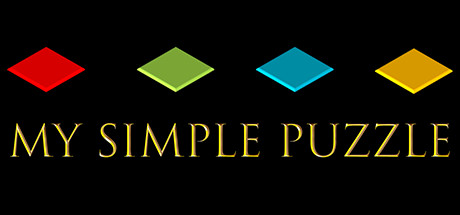
"My Simple Puzzle" is a smart app for relaxation. Putting together puzzles with family and friends is a great time that you will often remember.
Some of the features of "My Simple Puzzle":
- supports 31 languages: English, 简体中文, Русский, Español, Deutsch, 日本語, Français, Polski, 한국어, Türkçe, ไทย, 繁體中文, Italiano, Čeština, Português, Українська, Nederlands, Magyar, Svenska, Dansk, Tiếng Việt, Suomi, Norsk, Română, Ελληνικά, Български, עברית , العربية , हिंदी, Afrikaans, Indonesia
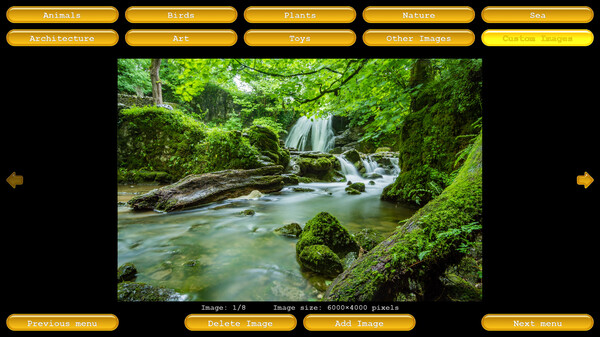
- default collection of 180 high quality images (grouped in 9 sections: "Animals", "Birds", "Plants", "Nature", "Sea", "Architecture", "Art", "Toys" and "Others").
- own collection: You can add your own images (of any size and proportion, in any number).
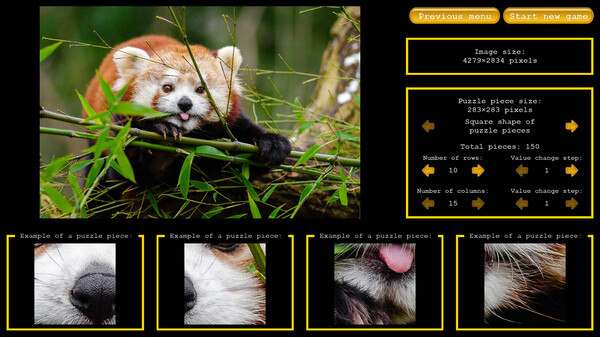
- setting the number of pieces: You can set any (at your discretion) number of pieces into which the image will be divided.
- save/load game (including autosave): You can save the current game at any time and continue it later.
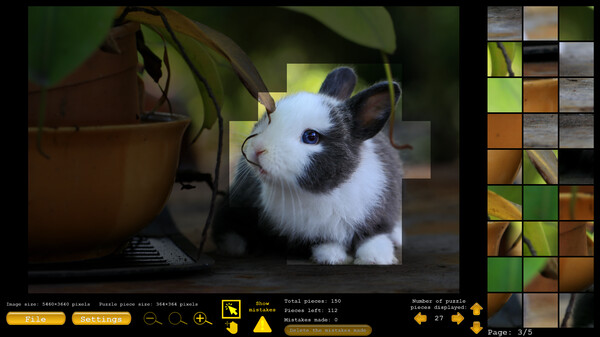
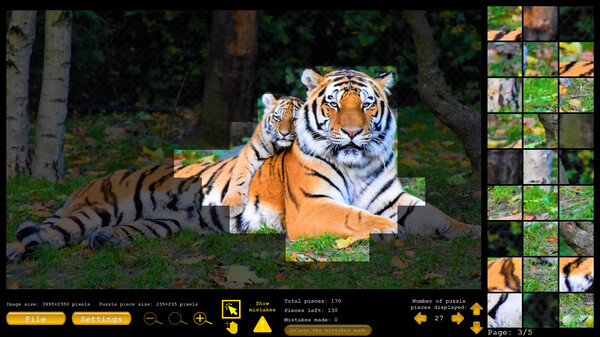
- display of made mistakes: You can see the presence/absence of made mistakes and delete them.
- help: When you select the "Help" option, the application will indicate to you the place where the specified piece should be placed.
- comparison: when you select the "Compare" option, the application will display in full screen the specified location and the selected piece (for easy comparison).
- zooming: you can zoom in/out of the image.
- adjusting the transparency level of the image: to increase/decrease the difficulty of the game.
- 16 background color options: from dark to light.
Supported controllers: Xbox
Some of the features of "My Simple Puzzle":
- supports 31 languages: English, 简体中文, Русский, Español, Deutsch, 日本語, Français, Polski, 한국어, Türkçe, ไทย, 繁體中文, Italiano, Čeština, Português, Українська, Nederlands, Magyar, Svenska, Dansk, Tiếng Việt, Suomi, Norsk, Română, Ελληνικά, Български, עברית , العربية , हिंदी, Afrikaans, Indonesia
- default collection of 180 high quality images (grouped in 9 sections: "Animals", "Birds", "Plants", "Nature", "Sea", "Architecture", "Art", "Toys" and "Others").
- own collection: You can add your own images (of any size and proportion, in any number).
- setting the number of pieces: You can set any (at your discretion) number of pieces into which the image will be divided.
- save/load game (including autosave): You can save the current game at any time and continue it later.
- display of made mistakes: You can see the presence/absence of made mistakes and delete them.
- help: When you select the "Help" option, the application will indicate to you the place where the specified piece should be placed.
- comparison: when you select the "Compare" option, the application will display in full screen the specified location and the selected piece (for easy comparison).
- zooming: you can zoom in/out of the image.
- adjusting the transparency level of the image: to increase/decrease the difficulty of the game.
- 16 background color options: from dark to light.
Supported controllers: Xbox