

Overview
About this game
'Camelia VR' is a VR content where you can take a walk in the Jeju Dongbaek dongsan to the Meonmulkkak. You can take a walk there with a virtual guide and listen to the explanation of nature and cultural relics. And you can meet other users and talk with them in the Meonmulkkak.
It is divided into the Guide mode and the Free mode, and you can select the mode you want to play.
The Guide mode is a viewing content that requires a simple operation.
You can follow a trail from Dongbaek Dongsan Wetland Center to Meonmulkkak with a virtual guide. Virtual Guide will explain to you about cultural relics and natural objects on the trail occasionally.
The Free mode is content in which you can freely move characters on a Meonmulkkak and interact with other users. You can use the microphone function to chat in voice, and also you can move the channels.
2. After selecting the mode, you have to customize your character. You can decorate your character in various ways, including the Dolhareubang costume.
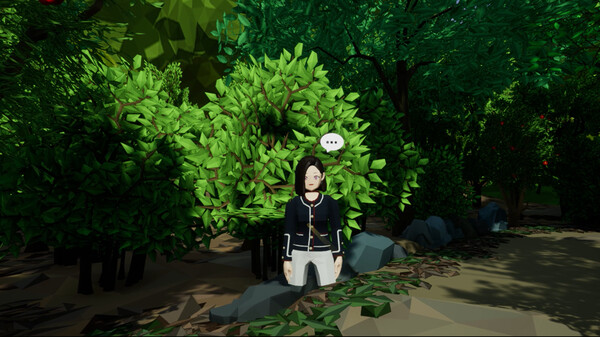
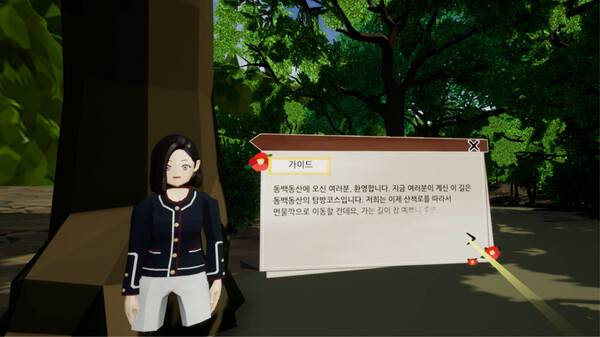
3-1. The dialog box is automatically displayed when you enter the Guide mode for the first time. Press the '>' button to move on. After the guide's explanation, your character automatically walks to the next section. When the character stops moving, a speech bubble floats on the head of the virtual guide. If you click virtual guide to interact, you can hear the explanation. When the Guide mode ends, it automatically moves to the Free mode.
3-2. In the Free mode, you can move your character freely using the controller.
It is divided into the Guide mode and the Free mode, and you can select the mode you want to play.
The Guide mode is a viewing content that requires a simple operation.
You can follow a trail from Dongbaek Dongsan Wetland Center to Meonmulkkak with a virtual guide. Virtual Guide will explain to you about cultural relics and natural objects on the trail occasionally.
The Free mode is content in which you can freely move characters on a Meonmulkkak and interact with other users. You can use the microphone function to chat in voice, and also you can move the channels.
How to Play
1. Choose a language and mode from the title scene. Camellia VR provides Korean and English. You can select the mode after selecting the language.2. After selecting the mode, you have to customize your character. You can decorate your character in various ways, including the Dolhareubang costume.
3-1. The dialog box is automatically displayed when you enter the Guide mode for the first time. Press the '>' button to move on. After the guide's explanation, your character automatically walks to the next section. When the character stops moving, a speech bubble floats on the head of the virtual guide. If you click virtual guide to interact, you can hear the explanation. When the Guide mode ends, it automatically moves to the Free mode.
3-2. In the Free mode, you can move your character freely using the controller.