
Overview
About this game
Explore 4D world as viewed by the eyes of imaginary 4D creature that uses volumetric (3D) space for visual sensing instead of planar (2D) space like we do.
A brand new 4D rendering engine was created for a Freespace-like game. Based on yet incomplete version of that engine, 2 modules were created and included into this package:
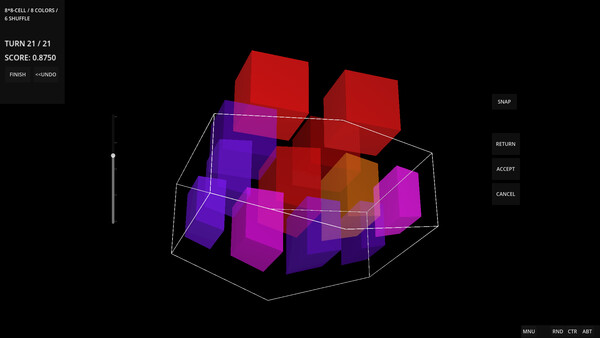
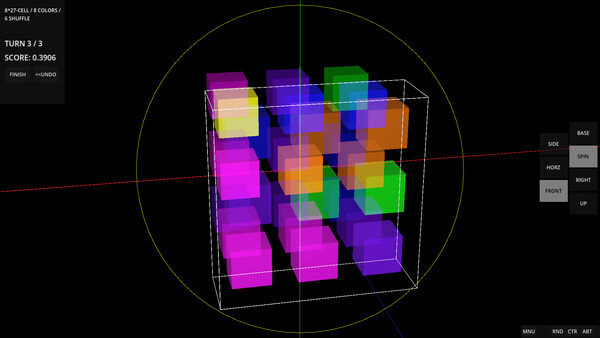
Magic Manycell is a puzzle game inspired by Magic Cube. Just like a cube that has 6 square faces, each of which is split into 3x3 smaller squares, in 4D a tesseract has 8 cubic cells, each of which is split into 2^3 or 3^3 smaller cubic cells. Then, in Magic Cube, player can rotate 3x3x1 slice of the cube around single axis; in 4D, player can rotate 3x3x3x1 slice, but not around single - around any of 3 orthogonal axes! (note: Manycell is a term used to describe Polychoron that has its flat cells split into smaller cells which all stay in original cell's flat subspace).
Currently 3 different Polychorons are supported for Magic Manycell game - Tesseract with 2^3 cells, Tesseract with 3^3 cells and a 16-cell which has whole cells but is such a special figure that it can be rotated like Tesseract 2^3 - by splitting it exactly in 2 halves.
In the future, it is planned to add more figures for this game mode - 24-cell and Tesseracts split in 4^3 and 5^3.
In addition to Magic Manycell, the package includes Explorer mode.
This exploration sandbox was created to observe 4D convex polychorons (which are 4D geometrical shapes made out of 3D shapes).
Currently implemented features are:
Pick any of 6 known regular polychorons to explore - 5-cell, 8-cell, 16-cell, 24-cell, 120-cell and 600-cell.
Look at the selected polychoron from any direction like an imaginary 4D creature would. This is achieved by 3D projection matrix technique where 4D objects are projected onto 3D spherical matrix like 3D objects are projected onto 2D matrix which we use to explore 3D world.
Several rendering customization options are available to make this complex display perceivable as a volume rather than as a picture.
Rotate around the polychoron using any of the 6 rotation axis-planes of 4D space using keyboard, mouse drag or controller analog axes.
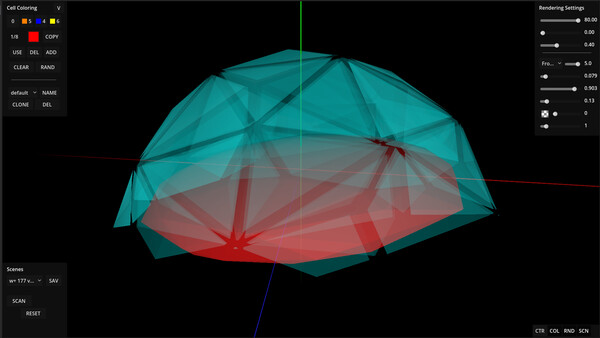
Paint any of the polychoron's cells into any color or turn them off completely. Save colorings to revisit them later. This allows player to follow particular cell's rotation relative to others and to follow polychora's cell rings.
Use Scan mode to explore polychorons by cutting them with 3D hyper-plane and see what comes out. This mode also allows full rotations, just like projection mode does.
Create your own polychorons by splitting the existing one in Scan mode or by providing your own geometry (programming experience needed to make your own geometry).
Besides these 2 modes, more gaming modes are being designed. At least 1 more mode is planned to be added to this package before Early Access ends.